 WalletAI
Smart budget & fixed expenses
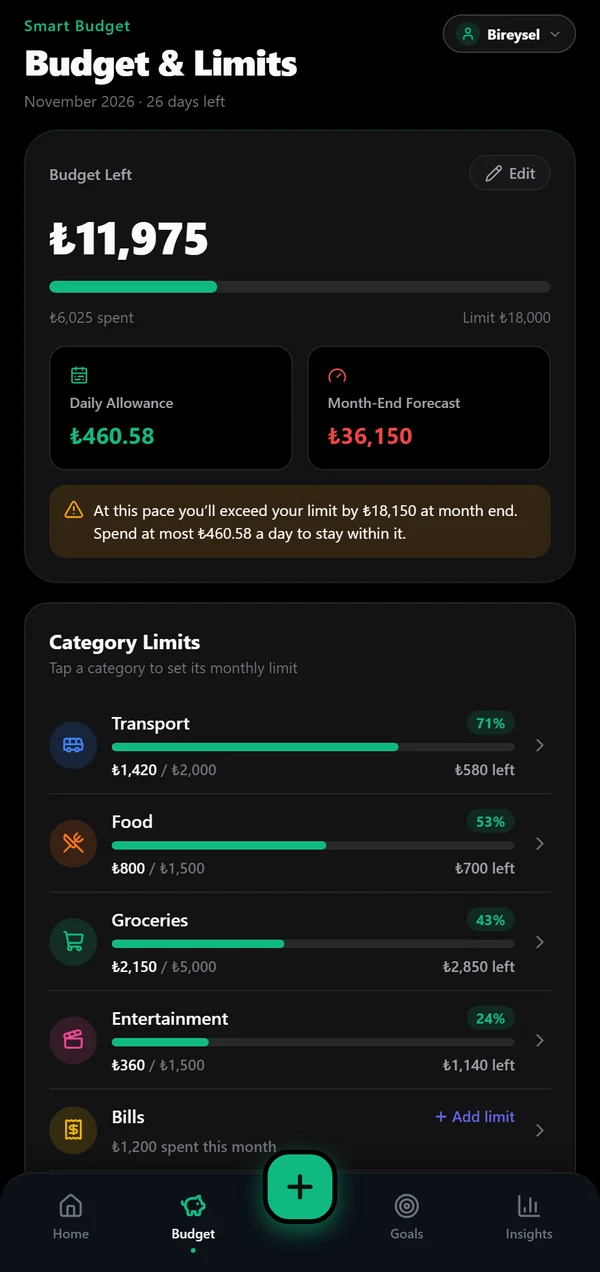
Set a monthly budget and category limits, and track amounts in ₺, $, € or £. See upcoming bills, what’s left, your daily allowance and an end-of-month forecast at a glance.
Sample values.
Log expenses, income, recurring bills and savings goals in seconds. See the end of the month coming with monthly budgets, category limits and detailed analytics.
New entry summary
Monthly budget · 62% used
Grocery run #market
Set a monthly budget and category limits, and track amounts in ₺, $, € or £. See upcoming bills, what’s left, your daily allowance and an end-of-month forecast at a glance.
Sample values.
If an expense would fill a limit, you’re warned before saving: “This will use 92% of your Food limit.”
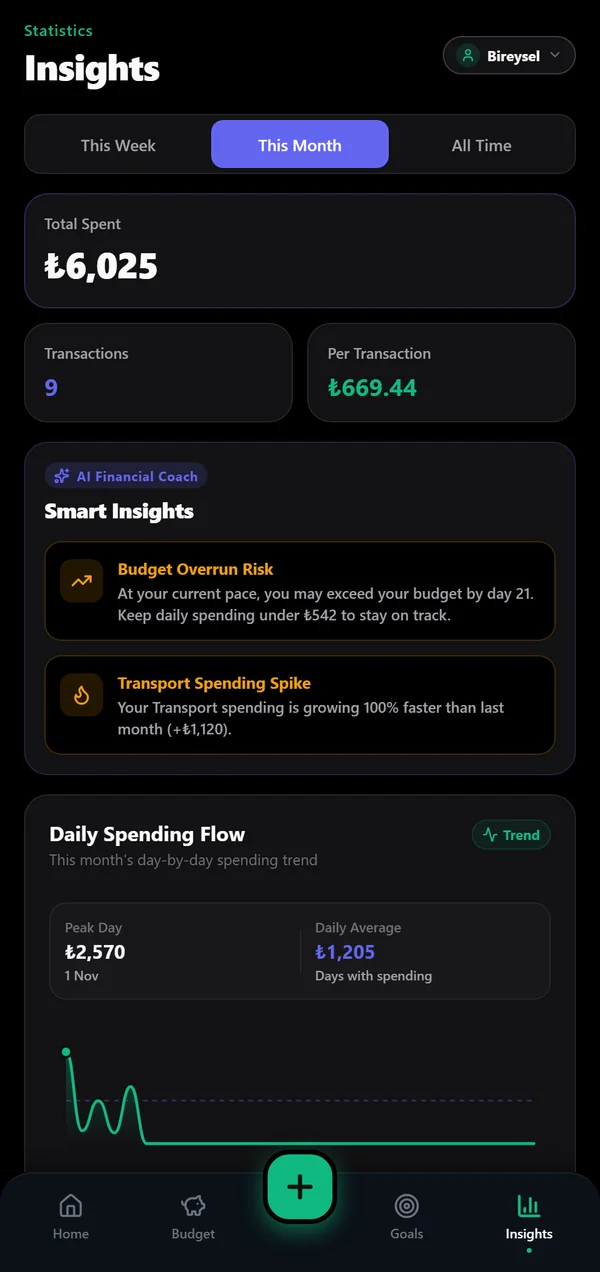
Category breakdown, #tag analysis, and spending by weekday and time of day.
Create goals for a trip, an emergency fund or a new phone, and follow your progress.
Export all your data as CSV or JSON, and restore a JSON backup with one tap when you change phones.
Receipt scanning, weekly and recurring income, a separate budget for each profile, clipboard detection, a privacy shield and haptic feedback: all on your phone, no internet needed.
Pick a receipt photo from the camera or gallery. The amount, date and merchant (Starbucks, Migros, Yemeksepeti…) are read on your device and the category is picked for you. The photo never leaves your phone.
Set rent and bills, or salary and weekly pay, once. They’re added every week, every 2 weeks or every month by themselves. Income can repeat too.
Set a different monthly limit and category limits for your Personal and Business profiles. Switch to “All profiles” to see both combined.
Keep personal, business or family spending apart with one tap, each with its own goals and analytics.
Copy an amount from a bank SMS, receipt or calculator. WalletAI picks it up when you open it, so you can save it in one tap.
A dynamic cover hides your balances in the app switcher and while the app is in the background.
Taptic Engine pulses that feel like dropping a coin when you add an expense. Long-press the home screen icon for quick entry, voice entry and your savings goals.
Give your phone a gentle shake to open the quick expense screen instantly, or to switch the privacy shield on.
Personalization
Pick the one that suits your style and match your home screen. There is also a battery-friendly pure black OLED theme for night use.
Emerald green with a modern light wallet emblem.
Pure OLED black with a deep emerald shield.
Home, budget and insights, all simple enough to use with one hand.
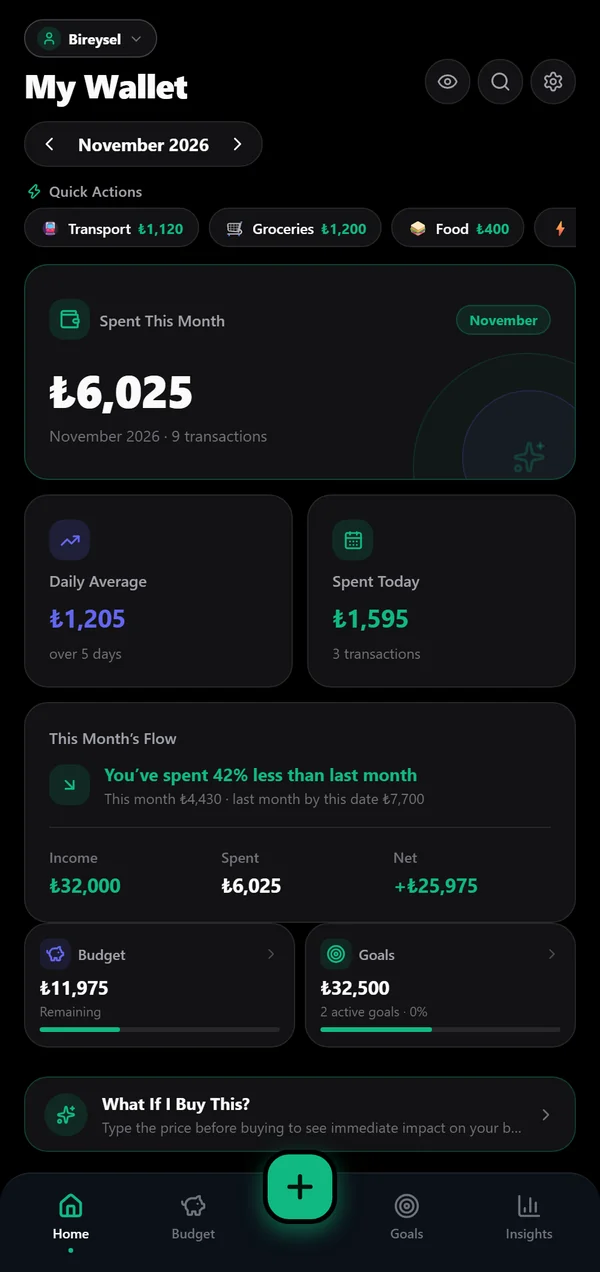
Type or speak a single sentence; the same parser the app uses picks out the amount, category and time instantly.
WalletAI has no remote server. Your expenses, income, goals and budget are stored only on your phone.
Read the privacy policyNo. WalletAI is free and has no in-app purchases.
No. You add entries yourself; the app never connects to a financial account and cannot make payments.
Yes. Logging, budgets, goals and analytics all work without an internet connection.
Export a JSON backup from Analytics → Data Management and restore it on your new phone with one tap.
Yes. Create Personal and Business profiles, each with its own budget, and switch between them with one tap.
No. The text in the receipt photo is read by your phone’s own text recognition and the photo is never sent to a server. You see the amount, date and merchant in a preview and can correct them before saving.
Yes. In Settings → Recurring Transactions choose “Income”, then pick weekly, every 2 weeks or monthly and the day. Due entries are added automatically when you open the app.
Yes. Copy the amount from an SMS or bank notification, open WalletAI, and smart clipboard detection offers to save it in one tap.
Something else? Visit the support page.